
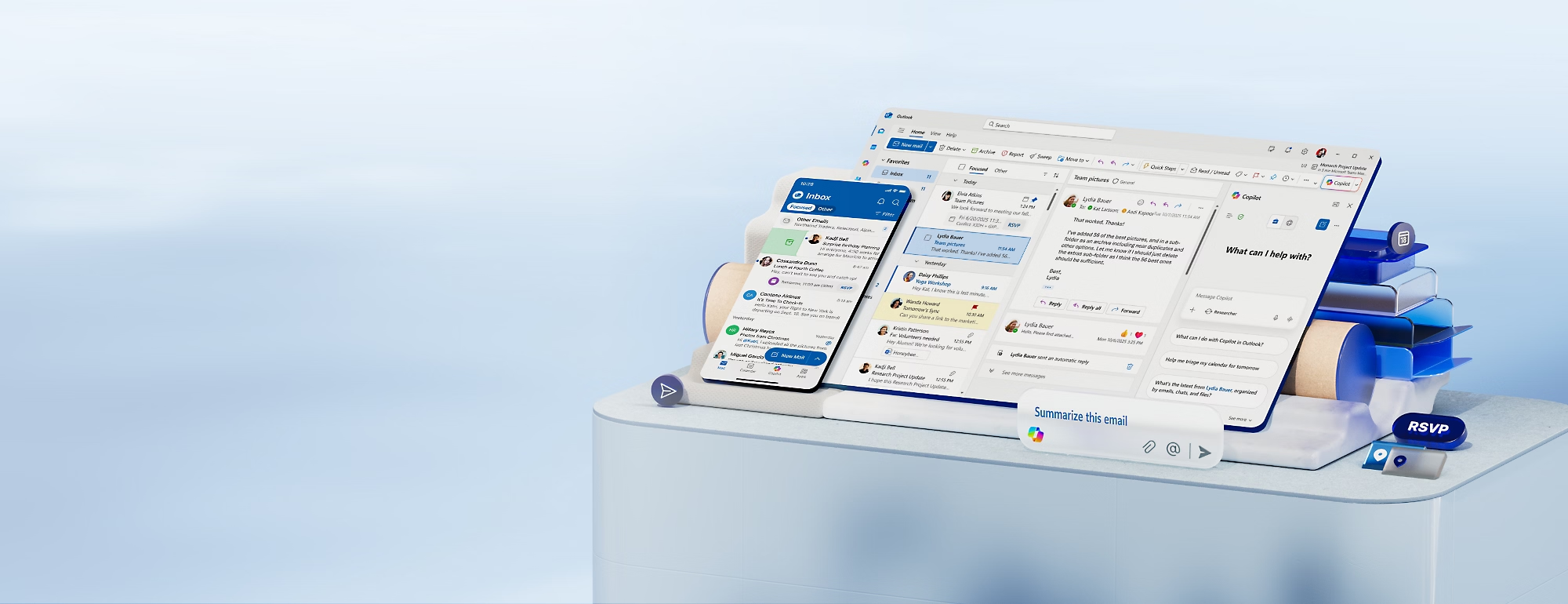
Your Outlook can change everything
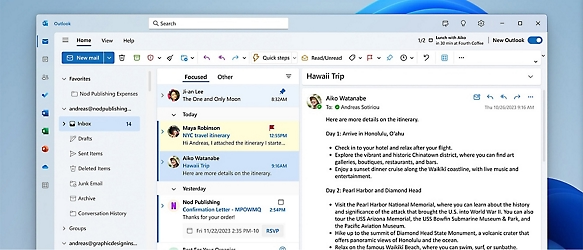
- See everything you need to manage your day in one view. Easily stay on top of emails, calendars, contacts, and to-do lists—at home or on the go.
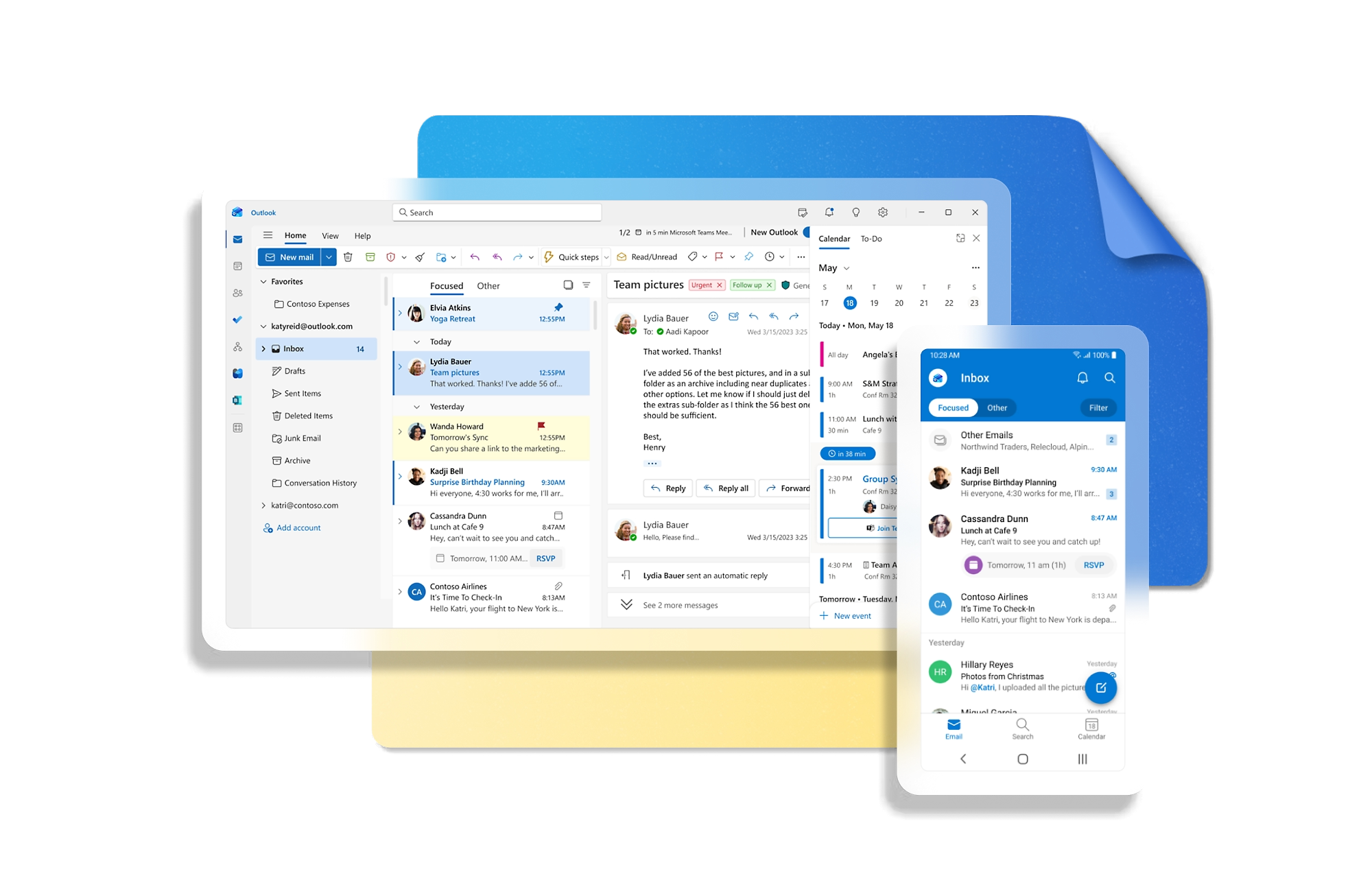
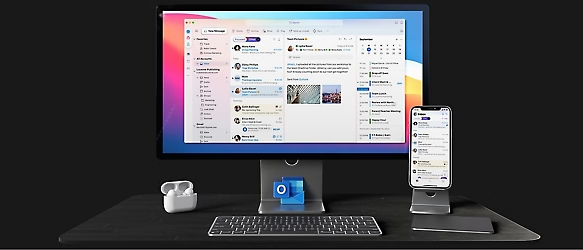
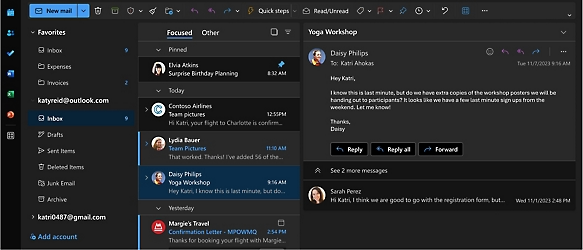
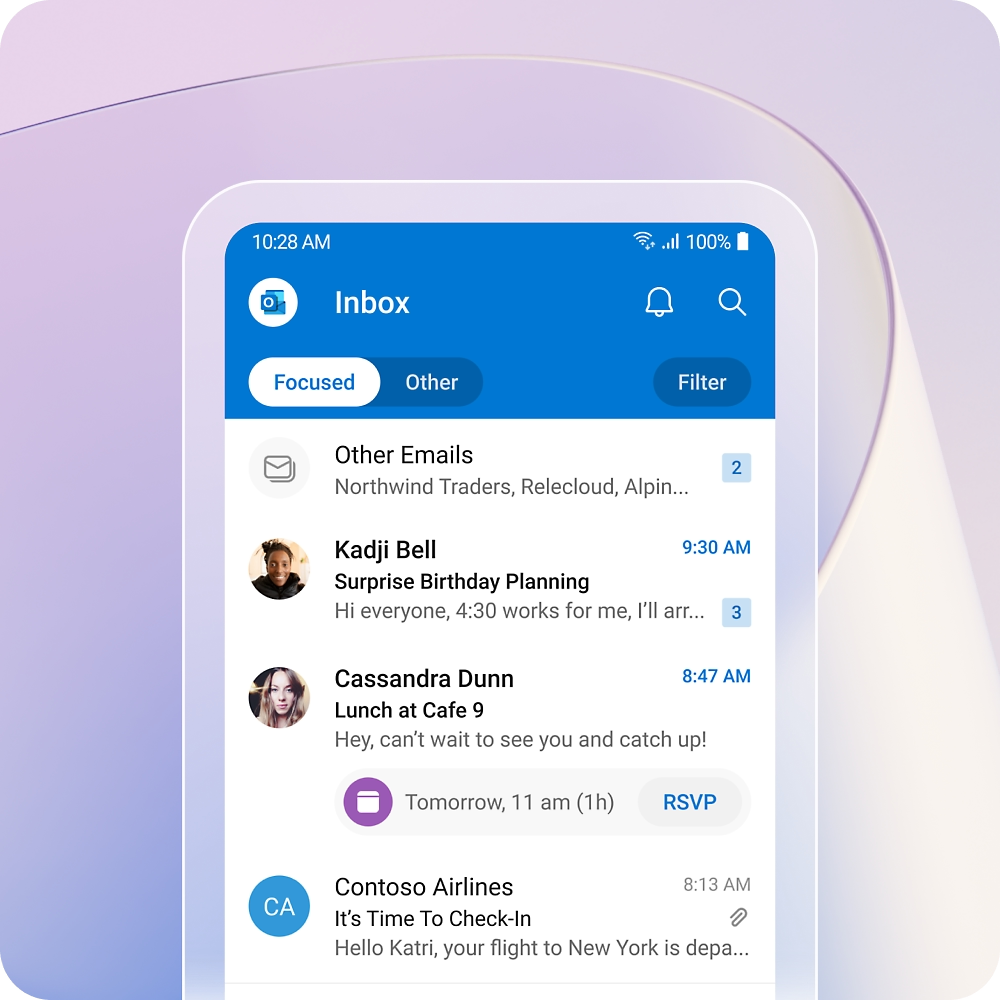
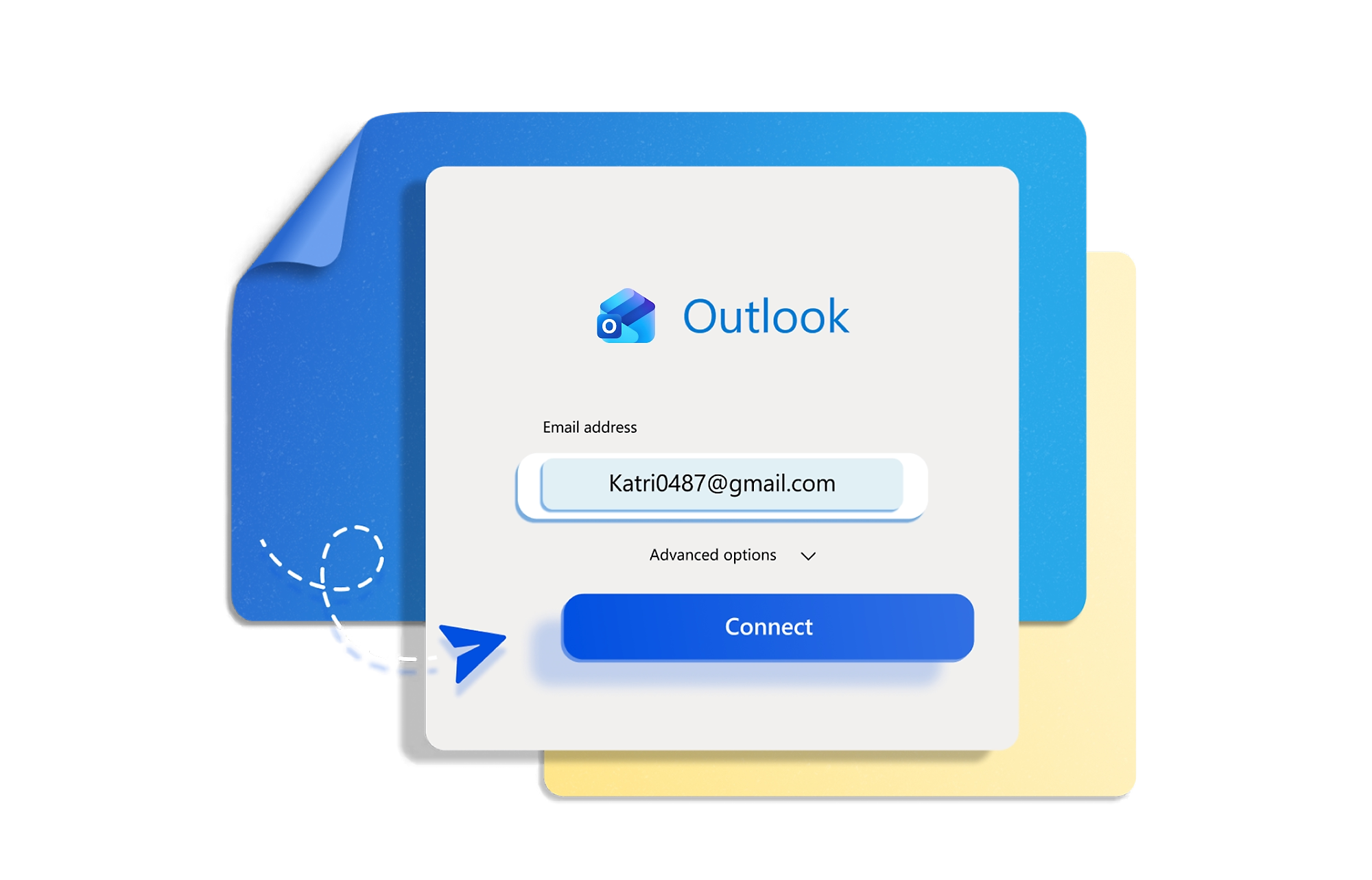
- Access personal, work, or school emails in the Outlook app on desktop and mobile, including Outlook.com, Gmail, Yahoo!, iCloud, and other mail services.
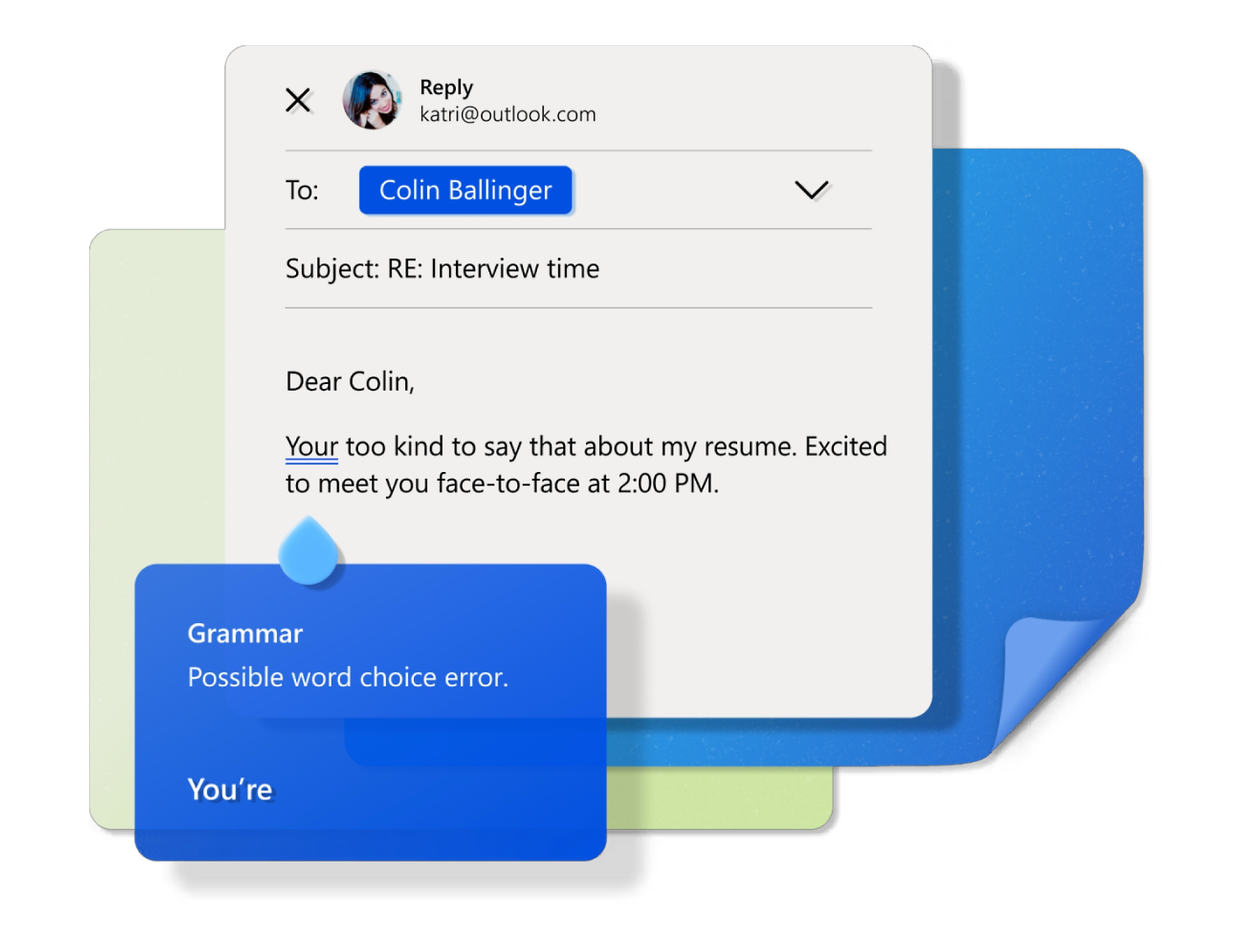
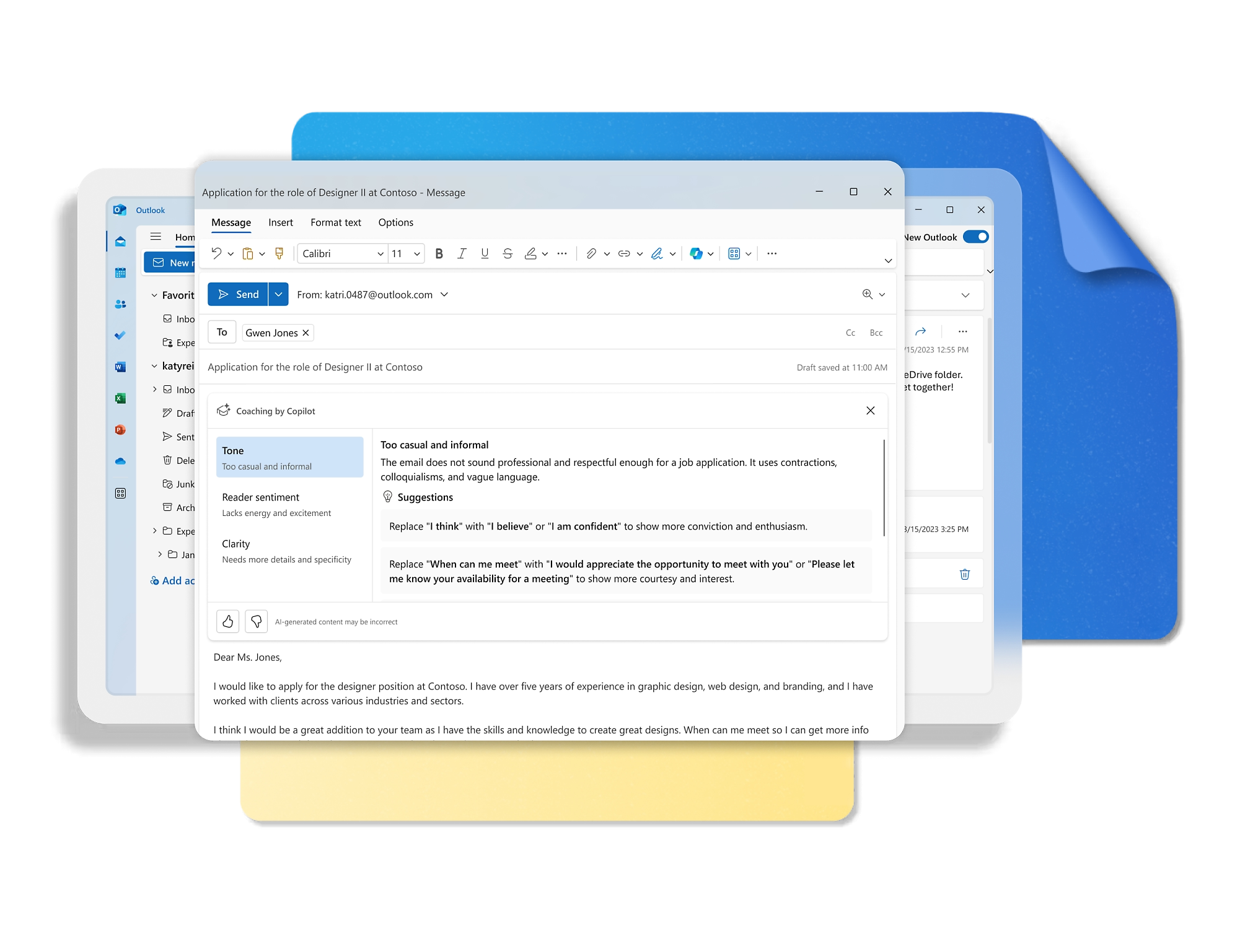
- Help keep your sentences concise and polished with suggestions as you write, plus intelligent spelling and grammar checks.3
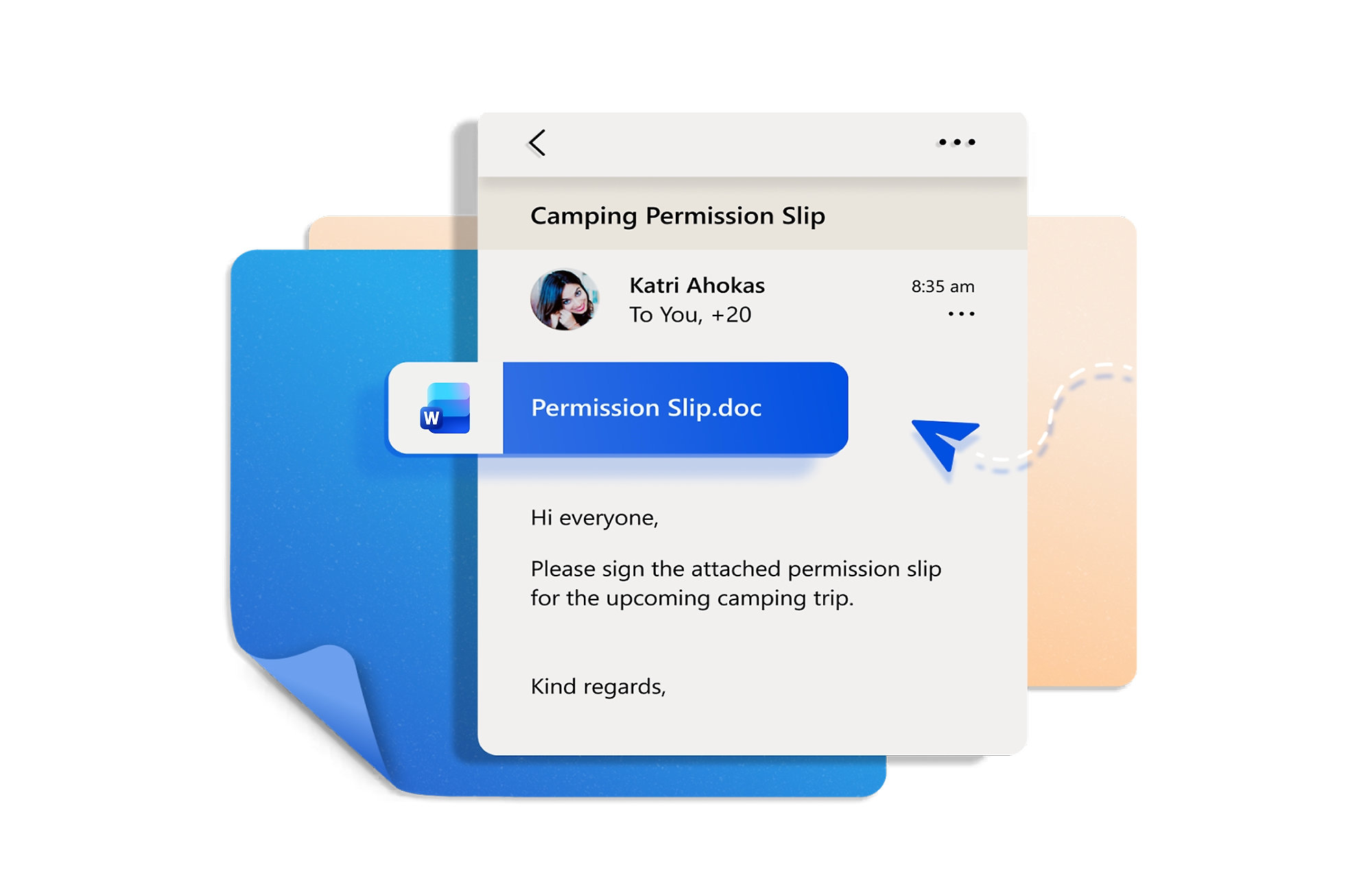
- Quickly send, edit, or read a document on the go. Use Word, Excel, or PowerPoint from your inbox, and securely link to your OneDrive files.
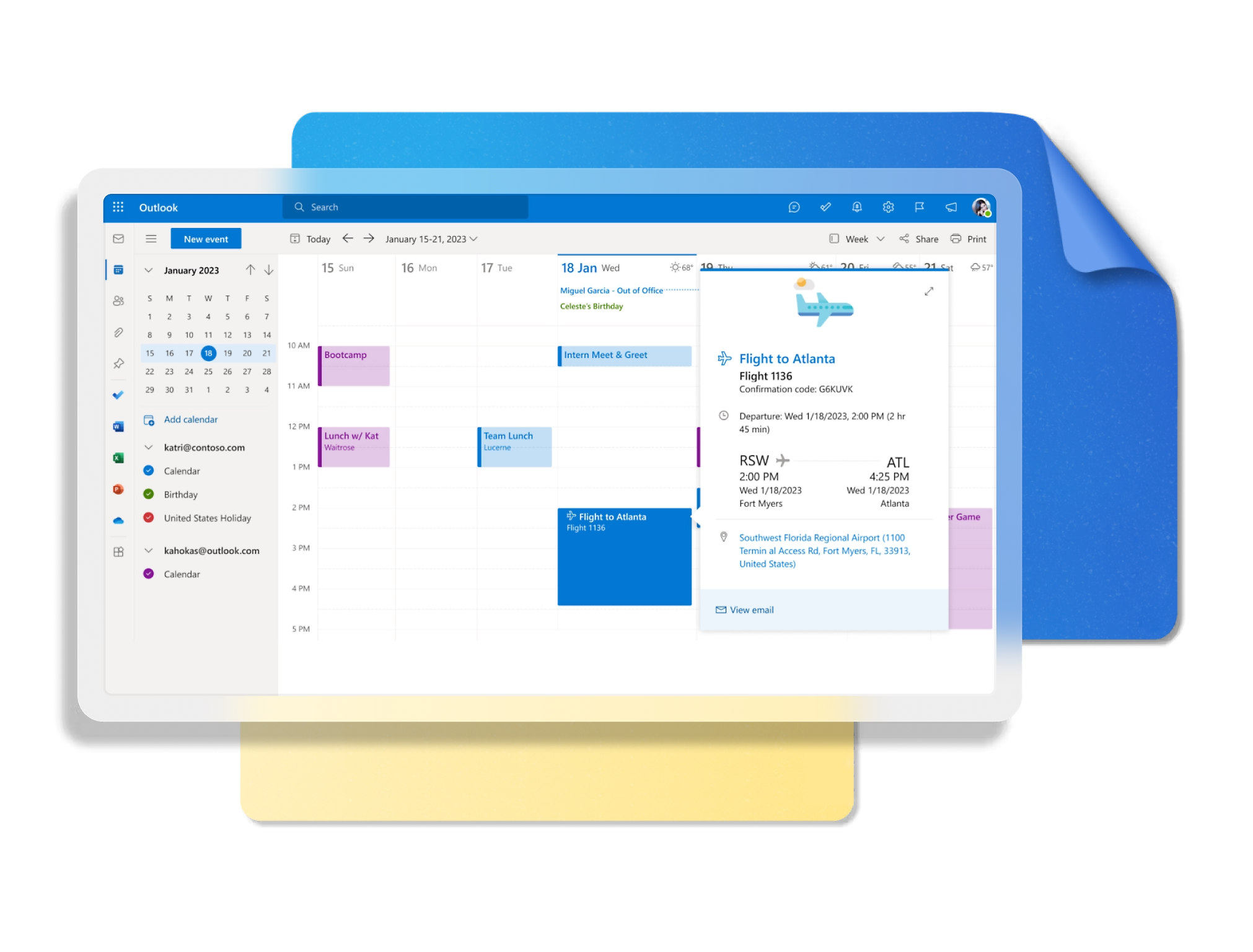
- Schedule events, track packages and flights,3 and set reminders to help you stay on task.
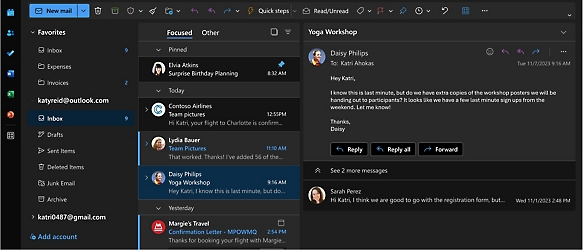
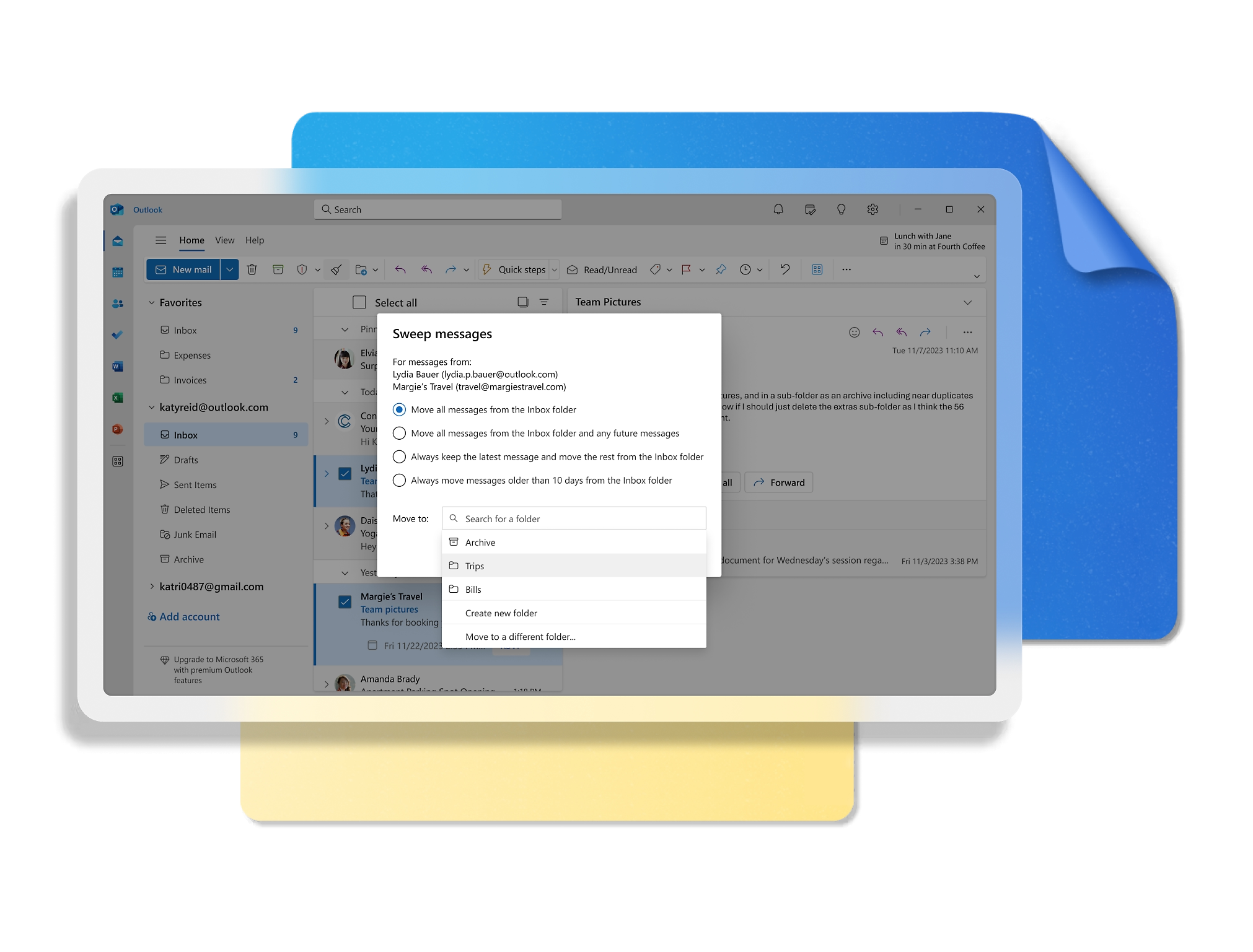
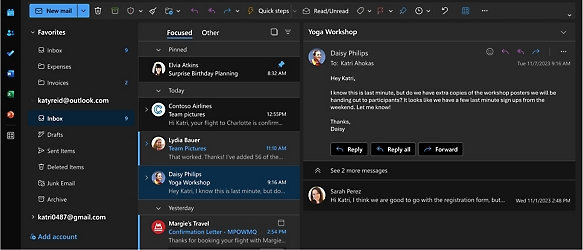
- Remove clutter with focused inbox and sweep features. Put emails on snooze and flag important messages.
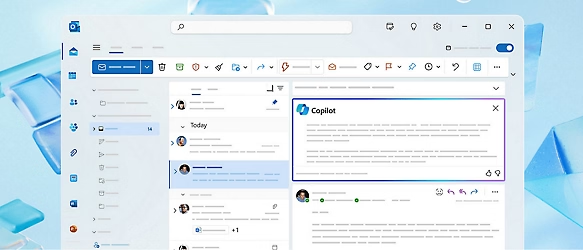
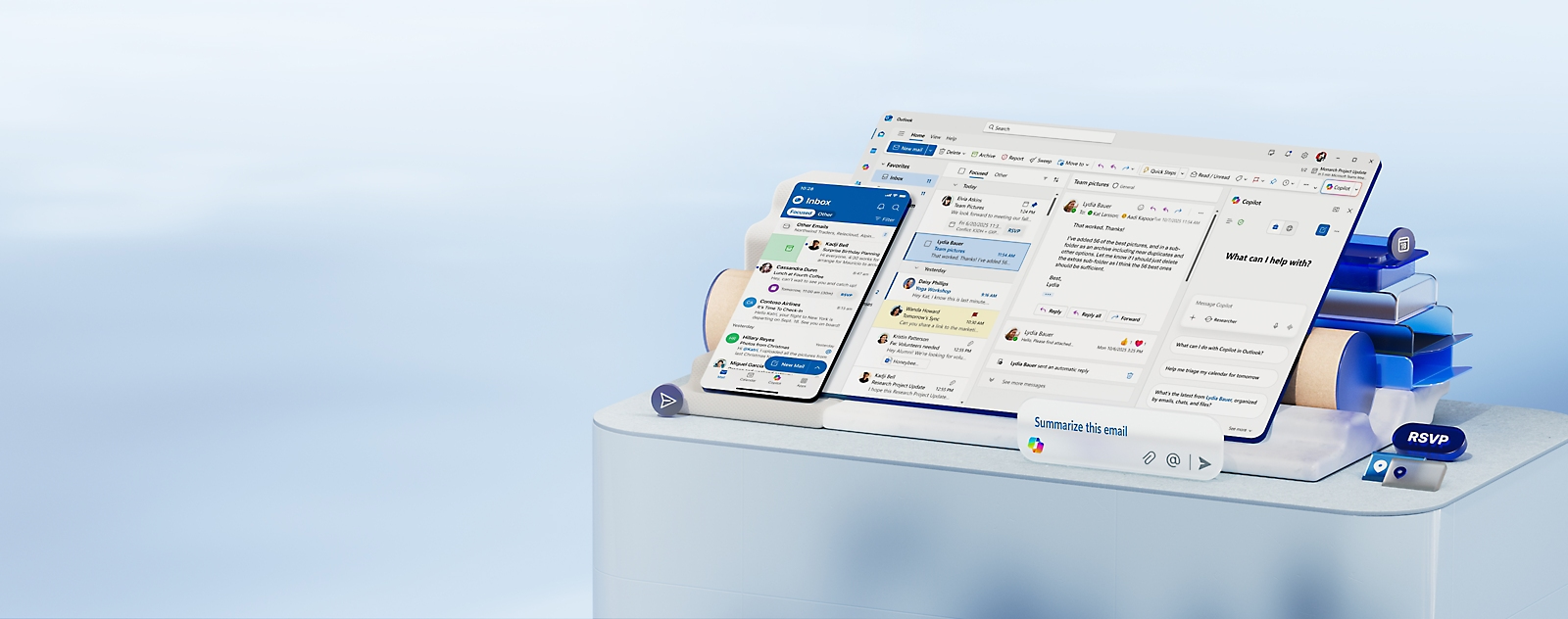
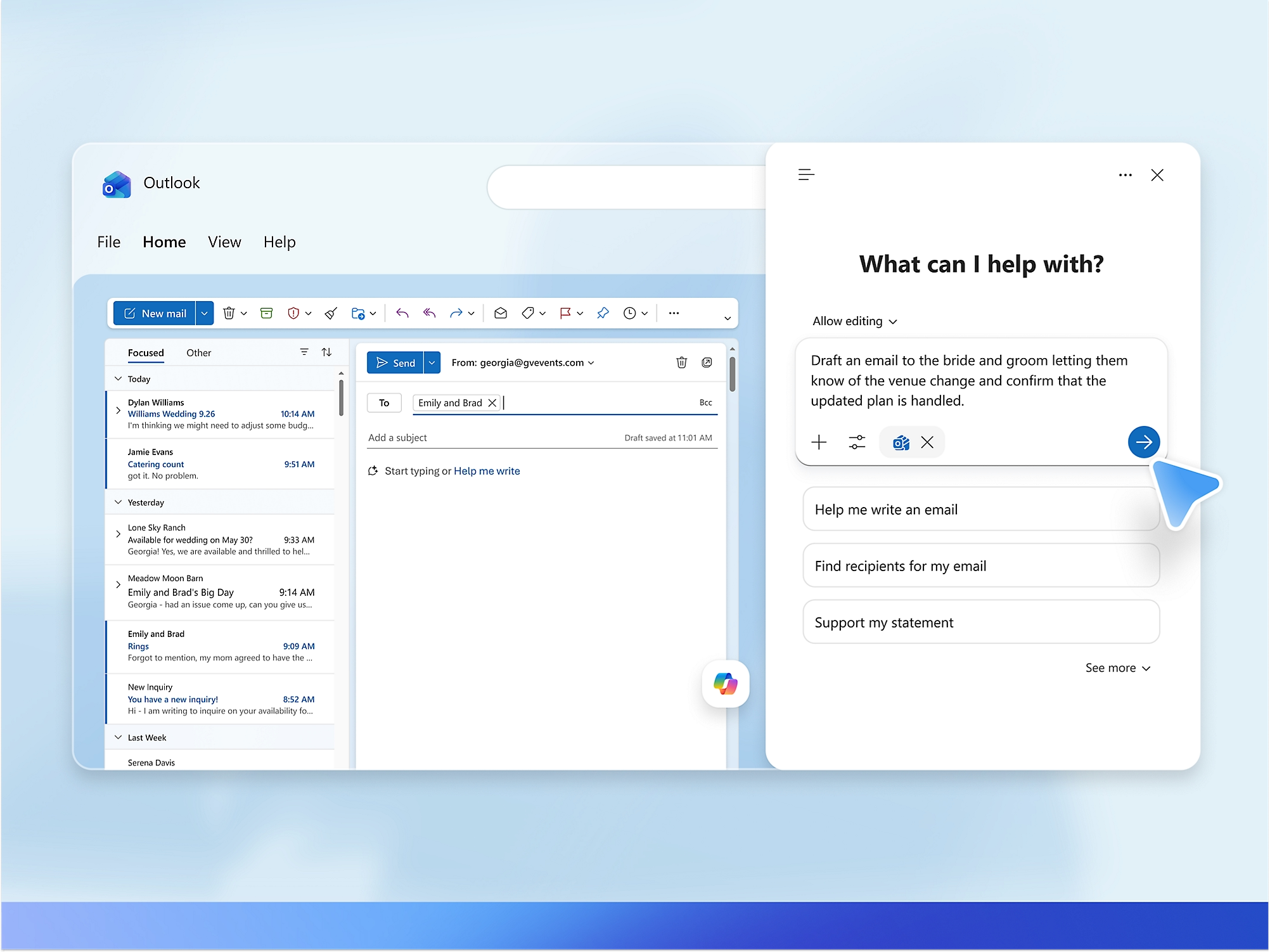
- Tell Copilot what you want to say. It drafts your email and helps refine the tone, length, and clarity. You decide when it's ready to send.
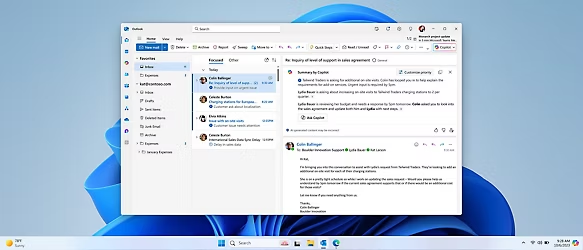
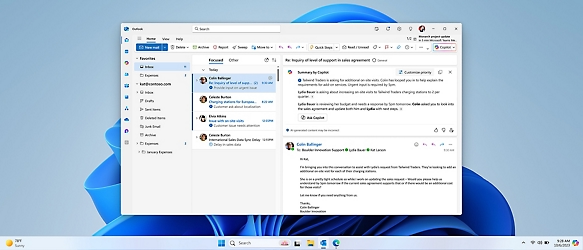
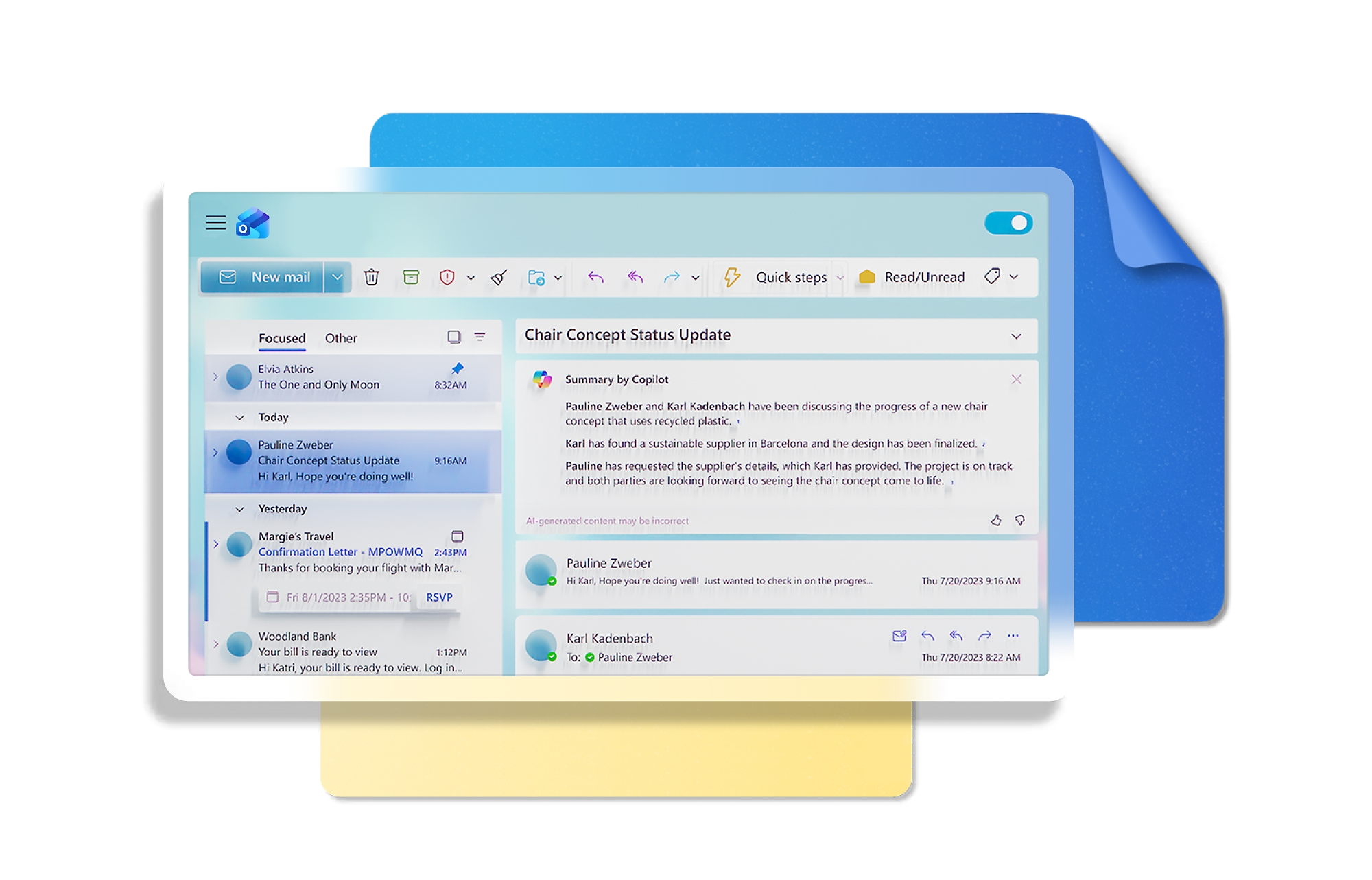
- Stay on top of long threads (and spend less time in your inbox) by having Copilot summarize key details and any questions specific to you.
- Ensure your emails have the right clarity, length, and tone so you come across the way you intended.
-
- See everything you need to manage your day in one view. Easily stay on top of emails, calendars, contacts, and to-do lists—at home or on the go.
- Access personal, work, or school emails in the Outlook app on desktop and mobile, including Outlook.com, Gmail, Yahoo!, iCloud, and other mail services.
- Help keep your sentences concise and polished with suggestions as you write, plus intelligent spelling and grammar checks.3
- Quickly send, edit, or read a document on the go. Use Word, Excel, or PowerPoint from your inbox, and securely link to your OneDrive files.
- Schedule events, track packages and flights,3 and set reminders to help you stay on task.
- Remove clutter with focused inbox and sweep features. Put emails on snooze and flag important messages.
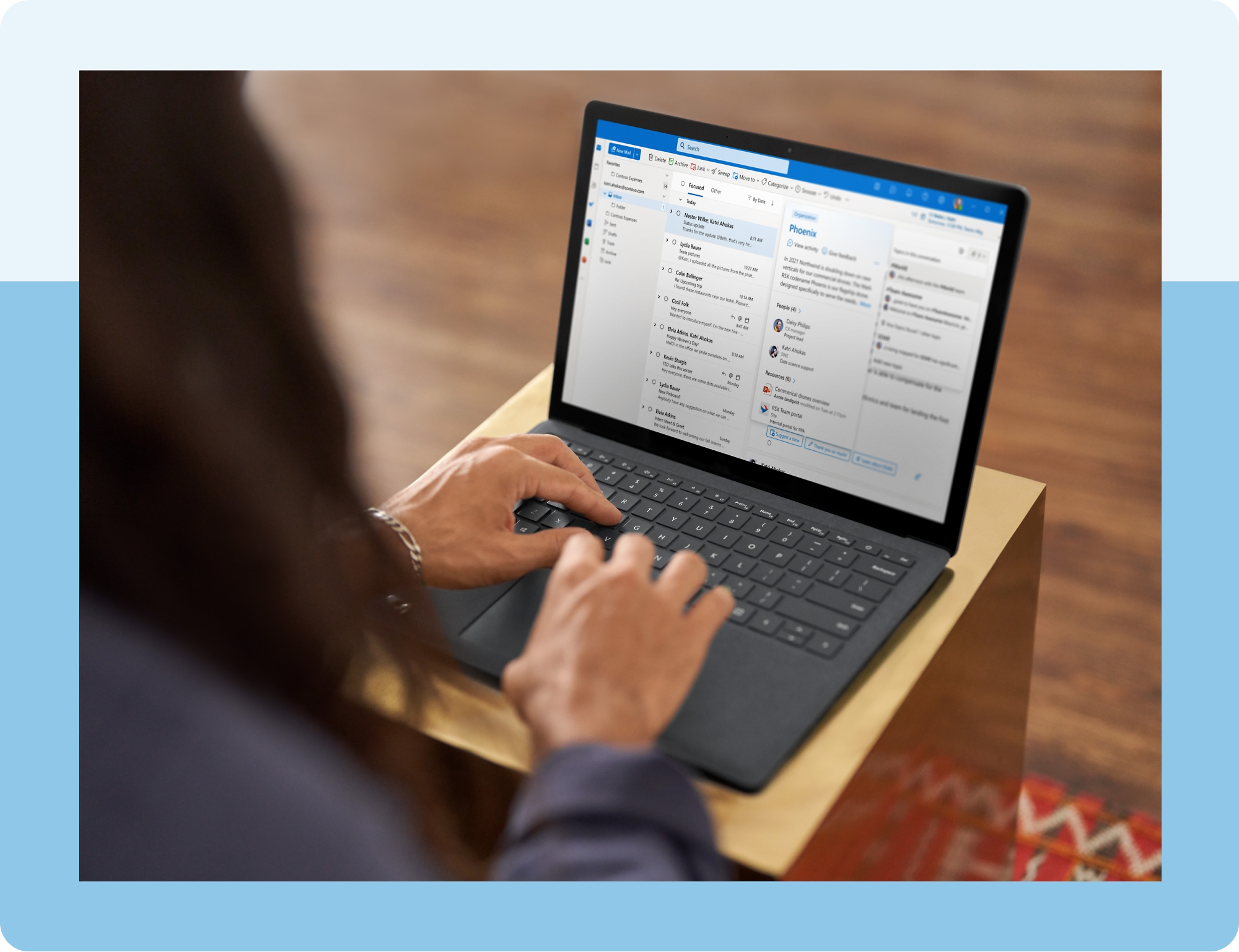
- Tell Copilot what you want to say. It drafts your email and helps refine the tone, length, and clarity. You decide when it's ready to send.
- Stay on top of long threads (and spend less time in your inbox) by having Copilot summarize key details and any questions specific to you.
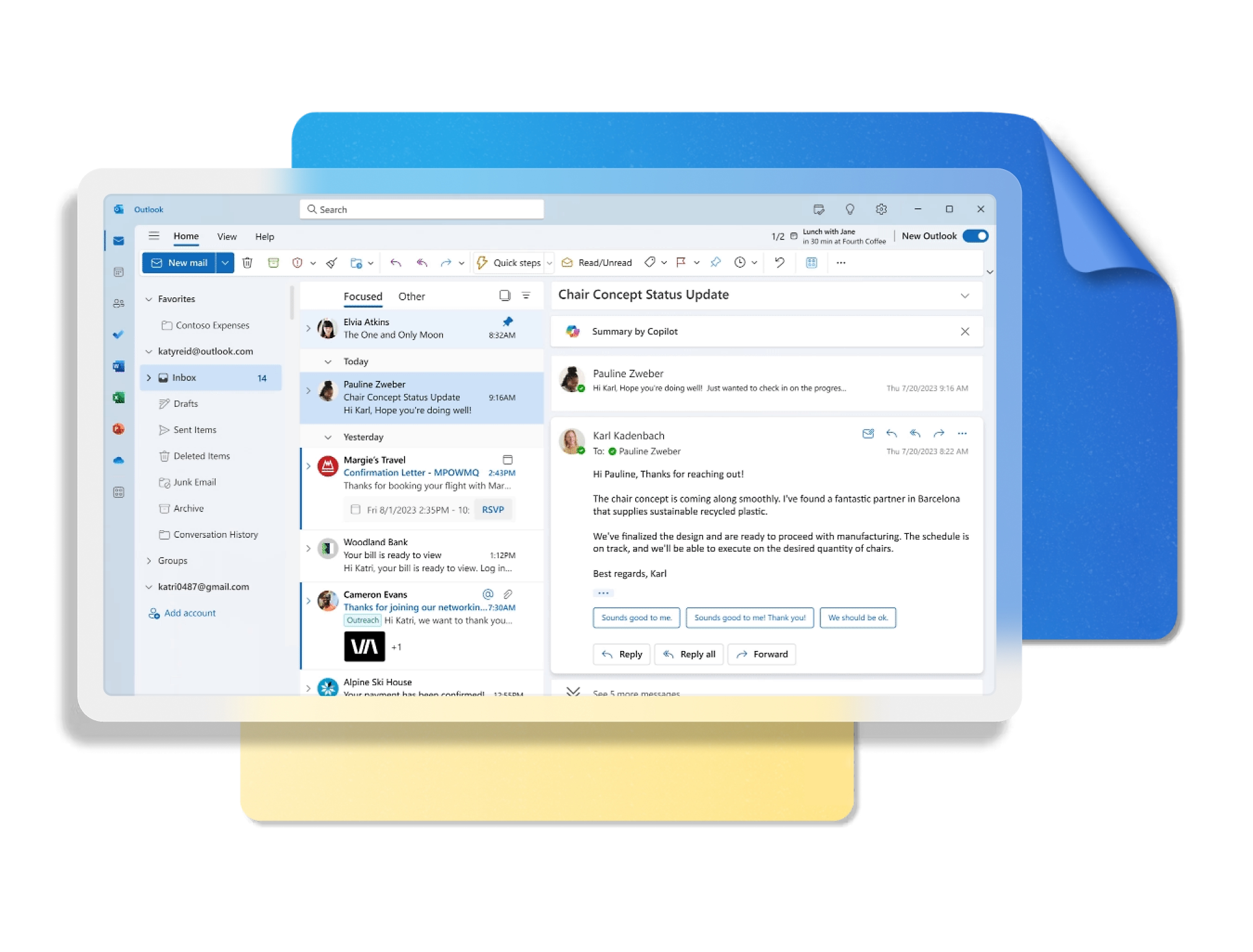
- Ensure your emails have the right clarity, length, and tone so you come across the way you intended.
-
- See everything you need to manage your day in one view. Easily stay on top of emails, calendars, contacts, and to-do lists—at home or on the go.
- Access personal, work, or school emails in the Outlook app on desktop and mobile, including Outlook.com, Gmail, Yahoo!, iCloud, and other mail services.
- Help keep your sentences concise and polished with suggestions as you write, plus intelligent spelling and grammar checks.3
- Quickly send, edit, or read a document on the go. Use Word, Excel, or PowerPoint from your inbox, and securely link to your OneDrive files.
- Schedule events, track packages and flights,3 and set reminders to help you stay on task.
- Remove clutter with focused inbox and sweep features. Put emails on snooze and flag important messages.
- Tell Copilot what you want to say. It drafts your email and helps refine the tone, length, and clarity. You decide when it's ready to send.
- Stay on top of long threads (and spend less time in your inbox) by having Copilot summarize key details and any questions specific to you.
- Ensure your emails have the right clarity, length, and tone so you come across the way you intended.
-
See Outlook in Action
From first thought to ready-to-send with Copilot
Streamline your different accounts in one place
Easily access Word, Excel, PowerPoint, and OneDrive files
Get up to speed faster
Faster emails, fewer errors
Write with confidence
Outlook is better with Microsoft 365
- For 1 person
- Outlook email and calendar on web, desktop, and mobile apps
- Core Outlook security features like spam filters
- 15 GB of mailbox storage
Mailbox storage includes Outlook.com email, attachments, calendar items, and contacts. Learn more about Microsoft storage and cloud storage plans. For more information: aka.ms/microsoft-storage.
- 5 GB of cloud storage
- Web and mobile versions of Word, Excel, PowerPoint, OneNote, OneDrive and more apps
-
Outlook: Manage your email, calendar, tasks, and contacts together in one place.
- For 1 person
- Use on multiple devices at the same time
- Ad-free Outlook email and calendar on web, mobile, and desktop apps
- Advanced Outlook security features
Outlook security features apply to @outlook.com, @hotmail.com, @live.com, or @msn.com email addresses. https://aka.ms/outlooksecurity.
- 100 GB of mailbox storage
Mailbox storage includes Outlook.com email, attachments, calendar items, and contacts. Learn more about Microsoft storage and cloud storage plans. For more information: aka.ms/microsoft-storage.
- 100 GB of secure cloud storage
- OneDrive ransomware protection for your photos and files
- Ongoing support for help when you need it
Apps with subscription value
-
Outlook: Manage your email, calendar, tasks, and contacts together in one place.
-
OneDrive: Save, access, edit, and share files and photos wherever you are.
Microsoft 365 Personal
Originally starting from $99.99 now starting from $69.99
- For 1 person
- Use on up to 5 devices simultaneously
- Works on PC, Mac, iPhone, iPad, and Android phones and tablets
App availability varies by device/language. Features vary by platform.
- 1 TB (1000 GB) of secure cloud storage
- Word, Excel,PowerPoint, Outlook and OneNote desktop apps with Microsoft Copilot
Copilot in Excel requires AutoSave to be enabled, meaning the file must be saved to OneDrive; it doesn't function with unsaved files
AI features only available to subscription owner and cannot be shared; usage limits apply. Learn more. Minimum age limits may apply to use of AI features. https://aka.ms/AIFeatureSeeDetails
- Higher usage than free for select Copilot features
AI features only available to subscription owner and cannot be shared; usage limits apply. Learn more. Minimum age limits may apply to use of AI features. https://aka.ms/AIFeatureSeeDetails
- Use Copilot in select apps with work files in a secure way
Employer must have an enterprise subscription that includes Microsoft 365 desktop apps and have multi account access enabled (excludes government tenants). Applies to select AI features in Word, Excel, PowerPoint and Outlook desktop apps and in select mobile apps. See details at https://aka.ms/EmployerEnterpriseSub.
- Higher usage for AI image creation and editing in Microsoft Designer, Photos, and Copilot chat
AI features only available to subscription owner and cannot be shared; usage limits apply. Learn more. Minimum age limits may apply to use of AI features. https://aka.ms/AIFeatureSeeDetails
- Microsoft Defender advanced security for your identity, personal data, and devices
Identity theft monitoring is only available in the United States and US territories.
- OneDrive ransomware protection for your photos and files
- Microsoft Teams with Copilotto call, chat, and collaborate
AI features only available to subscription owner and cannot be shared; usage limits apply. Learn more. Minimum age limits may apply to use of AI features. https://aka.ms/AIFeatureSeeDetails
- Ongoing support for help when you need it
Apps with subscription value
-
Microsoft Copilot: Reimagine what’s possible with your everyday AI companion.
-
Word: Create impressive documents and improve your writing with built-in intelligent features.
-
Excel: Simplify complex data and create easy-to-read spreadsheets.
-
PowerPoint: Easily create polished presentations that stand out.
-
Outlook: Manage your email, calendar, tasks, and contacts together in one place.
-
OneNote: Meet all your notetaking needs with one cross-functional notebook.
-
OneDrive: Save, access, edit, and share files and photos wherever you are.
-
Microsoft Defender: Get threat prevention and detection with Microsoft Defender security capabilities.
-
Microsoft Teams: Bring everyone together in one place to meet, chat, call, and collaborate.
- For 1 to 6 people (AI features for subscription owner only)
- Each person can use on up to 5 devices simultaneously
- Works on PC, Mac, iPhone, iPad, and Android phones and tablets
App availability varies by device/language. Features vary by platform.
- 2 TB of shared, secure cloud storage
- Word, Excel,PowerPoint, Outlook and OneNote desktop apps with Microsoft Copilot
Copilot in Excel requires AutoSave to be enabled, meaning the file must be saved to OneDrive; it doesn't function with unsaved files
AI features only available to subscription owner and cannot be shared; usage limits apply. Learn more. Minimum age limits may apply to use of AI features. https://aka.ms/AIFeatureSeeDetails
- Higher usage than free for select Copilot features
AI features only available to subscription owner and cannot be shared; usage limits apply. Learn more. Minimum age limits may apply to use of AI features. https://aka.ms/AIFeatureSeeDetails
- Use Copilot in select apps with work files in a secure way
Employer must have an enterprise subscription that includes Microsoft 365 desktop apps and have multi account access enabled (excludes government tenants). Applies to select AI features in Word, Excel, PowerPoint and Outlook desktop apps and in select mobile apps. See details at https://aka.ms/EmployerEnterpriseSub.
- Higher usage for AI image creation and editing in Microsoft Designer, Photos, and Copilot chat
AI features only available to subscription owner and cannot be shared; usage limits apply. Learn more. Minimum age limits may apply to use of AI features. https://aka.ms/AIFeatureSeeDetails
- Microsoft Defender advanced security for your family’s identity, personal data, and devices
Identity theft monitoring is only available in the United States and US territories.
- OneDrive ransomware protection for your family’s photos and files
- Microsoft Teams with Copilotto call, chat, and collaborate
AI features only available to subscription owner and cannot be shared; usage limits apply. Learn more. Minimum age limits may apply to use of AI features. https://aka.ms/AIFeatureSeeDetails
- Ongoing support for help when you and your family need it
Apps with subscription value
-
Microsoft Copilot: Reimagine what’s possible with your everyday AI companion.
-
Word: Create impressive documents and improve your writing with built-in intelligent features.
-
Excel: Simplify complex data and create easy-to-read spreadsheets.
-
PowerPoint: Easily create polished presentations that stand out.
-
Outlook: Manage your email, calendar, tasks, and contacts together in one place.
-
OneNote: Meet all your notetaking needs with one cross-functional notebook.
-
OneDrive: Save, access, edit, and share files and photos wherever you are.
-
Microsoft Defender: Get threat prevention and detection with Microsoft Defender security capabilities.
-
Microsoft Teams: Bring everyone together in one place to meet, chat, call, and collaborate.
- For 1 person
- Outlook email and calendar on web, desktop, and mobile apps
- Core Outlook security features like spam filters
- 15 GB of mailbox storage
Mailbox storage includes Outlook.com email, attachments, calendar items, and contacts. Learn more about Microsoft storage and cloud storage plans. For more information: aka.ms/microsoft-storage.
- 5 GB of cloud storage
- Web and mobile versions of Word, Excel, PowerPoint, OneNote, OneDrive and more apps
-
Outlook: Manage your email, calendar, tasks, and contacts together in one place.
- For 1 person
- Use on multiple devices at the same time
- Ad-free Outlook email and calendar on web, mobile, and desktop apps
- Advanced Outlook security features
Outlook security features apply to @outlook.com, @hotmail.com, @live.com, or @msn.com email addresses. https://aka.ms/outlooksecurity.
- 100 GB of mailbox storage
Mailbox storage includes Outlook.com email, attachments, calendar items, and contacts. Learn more about Microsoft storage and cloud storage plans. For more information: aka.ms/microsoft-storage.
- 100 GB of secure cloud storage
- OneDrive ransomware protection for your photos and files
- Ongoing support for help when you need it
Apps with subscription value
-
Outlook: Manage your email, calendar, tasks, and contacts together in one place.
-
OneDrive: Save, access, edit, and share files and photos wherever you are.
Microsoft 365 Personal
Originally starting from $9.99 now starting from $6.99
- For 1 person
- Use on up to 5 devices simultaneously
- Works on PC, Mac, iPhone, iPad, and Android phones and tablets
App availability varies by device/language. Features vary by platform.
- 1 TB (1000 GB) of secure cloud storage
- Word, Excel,PowerPoint, Outlook and OneNote desktop apps with Microsoft Copilot
Copilot in Excel requires AutoSave to be enabled, meaning the file must be saved to OneDrive; it doesn't function with unsaved files
AI features only available to subscription owner and cannot be shared; usage limits apply. Learn more. Minimum age limits may apply to use of AI features. https://aka.ms/AIFeatureSeeDetails
- Higher usage than free for select Copilot features
AI features only available to subscription owner and cannot be shared; usage limits apply. Learn more. Minimum age limits may apply to use of AI features. https://aka.ms/AIFeatureSeeDetails
- Use Copilot in select apps with work files in a secure way
Employer must have an enterprise subscription that includes Microsoft 365 desktop apps and have multi account access enabled (excludes government tenants). Applies to select AI features in Word, Excel, PowerPoint and Outlook desktop apps and in select mobile apps. See details at https://aka.ms/EmployerEnterpriseSub.
- Higher usage for AI image creation and editing in Microsoft Designer, Photos, and Copilot chat
AI features only available to subscription owner and cannot be shared; usage limits apply. Learn more. Minimum age limits may apply to use of AI features. https://aka.ms/AIFeatureSeeDetails
- Microsoft Defender advanced security for your identity, personal data, and devices
Identity theft monitoring is only available in the United States and US territories.
- OneDrive ransomware protection for your photos and files
- Microsoft Teams with Copilotto call, chat, and collaborate
AI features only available to subscription owner and cannot be shared; usage limits apply. Learn more. Minimum age limits may apply to use of AI features. https://aka.ms/AIFeatureSeeDetails
- Ongoing support for help when you need it
Apps with subscription value
-
Microsoft Copilot: Reimagine what’s possible with your everyday AI companion.
-
Word: Create impressive documents and improve your writing with built-in intelligent features.
-
Excel: Simplify complex data and create easy-to-read spreadsheets.
-
PowerPoint: Easily create polished presentations that stand out.
-
Outlook: Manage your email, calendar, tasks, and contacts together in one place.
-
OneNote: Meet all your notetaking needs with one cross-functional notebook.
-
OneDrive: Save, access, edit, and share files and photos wherever you are.
-
Microsoft Defender: Get threat prevention and detection with Microsoft Defender security capabilities.
-
Microsoft Teams: Bring everyone together in one place to meet, chat, call, and collaborate.
- For 1 to 6 people (AI features for subscription owner only)
- Each person can use on up to 5 devices simultaneously
- Works on PC, Mac, iPhone, iPad, and Android phones and tablets
App availability varies by device/language. Features vary by platform.
- 2 TB of shared, secure cloud storage
- Word, Excel,PowerPoint, Outlook and OneNote desktop apps with Microsoft Copilot
Copilot in Excel requires AutoSave to be enabled, meaning the file must be saved to OneDrive; it doesn't function with unsaved files
AI features only available to subscription owner and cannot be shared; usage limits apply. Learn more. Minimum age limits may apply to use of AI features. https://aka.ms/AIFeatureSeeDetails
- Higher usage than free for select Copilot features
AI features only available to subscription owner and cannot be shared; usage limits apply. Learn more. Minimum age limits may apply to use of AI features. https://aka.ms/AIFeatureSeeDetails
- Use Copilot in select apps with work files in a secure way
Employer must have an enterprise subscription that includes Microsoft 365 desktop apps and have multi account access enabled (excludes government tenants). Applies to select AI features in Word, Excel, PowerPoint and Outlook desktop apps and in select mobile apps. See details at https://aka.ms/EmployerEnterpriseSub.
- Higher usage for AI image creation and editing in Microsoft Designer, Photos, and Copilot chat
AI features only available to subscription owner and cannot be shared; usage limits apply. Learn more. Minimum age limits may apply to use of AI features. https://aka.ms/AIFeatureSeeDetails
- Microsoft Defender advanced security for your family’s identity, personal data, and devices
Identity theft monitoring is only available in the United States and US territories.
- OneDrive ransomware protection for your family’s photos and files
- Microsoft Teams with Copilotto call, chat, and collaborate
AI features only available to subscription owner and cannot be shared; usage limits apply. Learn more. Minimum age limits may apply to use of AI features. https://aka.ms/AIFeatureSeeDetails
- Ongoing support for help when you and your family need it
Apps with subscription value
-
Microsoft Copilot: Reimagine what’s possible with your everyday AI companion.
-
Word: Create impressive documents and improve your writing with built-in intelligent features.
-
Excel: Simplify complex data and create easy-to-read spreadsheets.
-
PowerPoint: Easily create polished presentations that stand out.
-
Outlook: Manage your email, calendar, tasks, and contacts together in one place.
-
OneNote: Meet all your notetaking needs with one cross-functional notebook.
-
OneDrive: Save, access, edit, and share files and photos wherever you are.
-
Microsoft Defender: Get threat prevention and detection with Microsoft Defender security capabilities.
-
Microsoft Teams: Bring everyone together in one place to meet, chat, call, and collaborate.
Microsoft 365 Business Premium with Copilot
- AI chat grounded in your work data with large language model (LLM) choice
- Pre-built agents for research and data analysis
- Access to Cowork, Code, and advanced AI experiences in apps like SharePoint1
- Policy-based identity and access management for up to 300 users
- Desktop, web, and mobile versionsof Word, Excel, PowerPoint, Outlook, and other apps with Copilot built in
Availability of mobile apps varies by country/region.
- Custom business email
- Chat, call, and catch up with Copilot in Microsoft Teams
- 10+ additional apps (including Microsoft Loop, Clipchamp, Bookings, Planner, Forms)
- Advanced device management, threat protection against phishing and cyber attacks, and information protection
-
Microsoft Copilot: Enhance productivity and creativity with a secure AI assistant for work and life.
-
Word: Create impressive documents and improve your writing with built-in intelligent features.
-
Excel: Simplify complex data and create easy-to-read spreadsheets.
-
PowerPoint: Easily create polished presentations that stand out.
-
Microsoft Teams: Bring everyone together in one place to meet, chat, call, and collaborate.
-
OneNote: Meet all your note-taking needs with one cross-functional notebook.
-
Microsoft Loop: Cocreate with workspaces that bring all the parts of a project together.
-
Microsoft Clipchamp: Create and edit professional-looking videos with easy-to-use tools.
-
Outlook: Manage your email, calendar, tasks, and contacts together in one place.
-
Exchange: Work smarter with business-class email and calendaring.
-
OneDrive: Save, access, edit, and share files and photos wherever you are.
-
SharePoint: Create team sites to share information, files, and resources.
-
Microsoft Entra ID: Protect employee identities and credentials.
-
Windows 11: Empower your team to connect faster, get creative, and be more productive.
-
Intune: Protect your business and application data and access on devices.
-
Microsoft Defender: Defend against malicious cyberthreats.
-
Microsoft Purview: Make governing, protecting, and managing your data easier and more efficient.
Microsoft 365 Business Standard with Copilot
- AI chat grounded in your work data with large language model (LLM) choice
- Pre-built agents for research and data analysis
- Access to Cowork, Code, and advanced AI experiences in apps like SharePoint1
- Core identity and access management for up to 300 users
- Desktop, web, and mobile versionsof Word, Excel, PowerPoint, Outlook, and other apps with Copilot built in
Availability of mobile apps varies by country/region.
- Custom business email
- Chat, call, and catch up with Copilot in Microsoft Teams
- 10+ additional apps (including Microsoft Loop, Clipchamp, Bookings, Planner, Forms)
-
Microsoft Copilot: Enhance productivity and creativity with a secure AI assistant for work and life.
-
Word: Create impressive documents and improve your writing with built-in intelligent features.
-
Excel: Simplify complex data and create easy-to-read spreadsheets.
-
PowerPoint: Easily create polished presentations that stand out.
-
Microsoft Teams: Bring everyone together in one place to meet, chat, call, and collaborate.
-
OneNote: Meet all your note-taking needs with one cross-functional notebook.
-
Microsoft Loop: Cocreate with workspaces that bring all the parts of a project together.
-
Microsoft Clipchamp: Create and edit professional-looking videos with easy-to-use tools.
-
Outlook: Manage your email, calendar, tasks, and contacts together in one place.
-
Exchange: Work smarter with business-class email and calendaring.
-
OneDrive: Save, access, edit, and share files and photos wherever you are.
-
SharePoint: Create team sites to share information, files, and resources.
- Core identity and access management for up to 300 users
- Web and mobile versionsof Word, Excel, PowerPoint, and Outlook
Availability of mobile apps varies by country/region
- Custom business email ([email protected])
- 1 TB of cloud storage per user
- Chat, call, and meet with Microsoft Teams
- 10+ additional apps (including Bookings, Planner, Forms)
- Secure AI chat powered by the latest large language models
-
Word (web and mobile only): Create impressive documents and improve your writing with built-in intelligent features.
-
Excel (web and mobile only): Simplify complex data and create easy-to-read spreadsheets.
-
PowerPoint (web and mobile only): Easily create polished presentations that stand out.
-
OneNote (web and mobile only): Meet all your notetaking needs with one cross-functional notebook.
-
Outlook: Manage your email, calendar, tasks, and contacts together in one place.
-
Exchange: Work smarter with business-class email and calendaring.
-
Microsoft Teams: Bring everyone together in one place to meet, chat, call, and collaborate.
-
OneDrive: Save, access, edit, and share files and photos wherever you are.
-
SharePoint: Create team sites to share information, files, and resources.
Microsoft 365 Business Premium with Copilot (no Teams)
- AI chat grounded in your work data with large language model (LLM) choice
- Pre-built agents for research and data analysis
- Access to Cowork, Code, and advanced AI experiences in apps like SharePoint1
- Policy-based identity and access management for up to 300 users
- Desktop, web, and mobile versionsof Word, Excel, PowerPoint, Outlook, and other apps with Copilot built in
Availability of mobile apps varies by country/region
- Custom business email
- 10+ additional apps (including Microsoft Loop, Clipchamp, Bookings, Planner, Forms)
- Advanced device management, threat protection against phishing and cyber attacks, and information protection
-
Microsoft Copilot: Enhance productivity and creativity with a secure AI assistant for work and life.
-
Word: Create impressive documents and improve your writing with built-in intelligent features.
-
Excel: Simplify complex data and create easy-to-read spreadsheets.
-
PowerPoint: Easily create polished presentations that stand out.
-
OneNote: Meet all your note-taking needs with one cross-functional notebook.
-
Microsoft Loop: Cocreate with workspaces that bring all the parts of a project together.
-
Outlook: Manage your email, calendar, tasks, and contacts together in one place.
-
Microsoft Clipchamp: Create and edit professional-looking videos with easy-to-use tools.
-
Exchange: Work smarter with business-class email and calendaring.
-
OneDrive: Save, access, edit, and share files and photos wherever you are.
-
SharePoint: Create team sites to share information, files, and resources.
-
Microsoft Entra ID: Protect employee identities and credentials.
-
Windows 11: Empower your team to connect faster, get creative, and be more productive.
-
Intune: Protect your business and application data and access on devices.
-
Microsoft Defender: Defend against malicious cyberthreats.
-
Microsoft Purview: Make governing, protecting, and managing your data easier and more efficient.
Microsoft 365 Business Standard with Copilot (no Teams)
- AI chat grounded in your work data with large language model (LLM) choice
- Pre-built agents for research and data analysis
- Access to Cowork, Code, and advanced AI experiences in apps like SharePoint1
- Core identity and access management for up to 300 users
- Desktop, web, and mobile versionsof Word, Excel, PowerPoint, Outlook, and other apps with Copilot built in
Availability of mobile apps varies by country/region.
- Custom business email
- 10+ additional apps (including Microsoft Loop, Clipchamp, Bookings, Planner, Forms)
-
Microsoft Copilot: Enhance productivity and creativity with a secure AI assistant for work and life.
-
Word: Create impressive documents and improve your writing with built-in intelligent features.
-
Excel: Simplify complex data and create easy-to-read spreadsheets.
-
PowerPoint: Easily create polished presentations that stand out.
-
OneNote: Meet all your note-taking needs with one cross-functional notebook.
-
Microsoft Loop: Cocreate with workspaces that bring all the parts of a project together.
-
Outlook: Manage your email, calendar, tasks, and contacts together in one place.
-
Microsoft Clipchamp: Create and edit professional-looking videos with easy-to-use tools.
-
Exchange: Work smarter with business-class email and calendaring.
-
OneDrive: Save, access, edit, and share files and photos wherever you are.
-
SharePoint: Create team sites to share information, files, and resources.
- Core identity and access management for up to 300 users
- Web and mobile versionsof Word, Excel, PowerPoint, and Outlook
Availability of mobile apps varies by country/region
- Custom business email ([email protected])
- 1 TB of cloud storage per user
- 10+ additional apps (including Bookings, Planner, Forms)
- Secure AI chat powered by the latest large language models
-
Word (web and mobile only): Create impressive documents and improve your writing with built-in intelligent features.
-
Excel (web and mobile only): Simplify complex data and create easy-to-read spreadsheets.
-
PowerPoint (web and mobile only): Easily create polished presentations that stand out.
-
OneNote (web and mobile only): Meet all your notetaking needs with one cross-functional notebook.
-
Outlook: Manage your email, calendar, tasks, and contacts together in one place.
-
Exchange: Work smarter with business-class email and calendaring.
-
OneDrive: Save, access, edit, and share files and photos wherever you are.
-
SharePoint: Create team sites to share information, files, and resources.
Ready for more powerful AI?
Keep on top of your inbox and calendar wherever you are with Outlook.
Windows
Android
iOS
MacOS
Web portal
Get the Outlook mobile app
Click here if you're having trouble with the QR code
Using your mobile device, go to aka.ms/outlookmobiledownload to get the Outlook mobile app.
Learn more about Microsoft 365 products
Create impressive documents and improve your writing with built-in intelligent features.
Simplify complex data and create compelling spreadsheets with formatting, sparklines, and tables.
Create well-designed, impactful presentations using intelligent design tools and features.
Enjoy personal device and data protection with one easy-to-use app.
Save, access, edit, and share files and photos wherever you are.
Bring everyone together in one place to meet, chat, call, and collaborate.
Write more clearly and concisely, anywhere you write.
Apps for Outlook
(#=appTitle#)
(#=appDesc#)
Power BI
Collaborate better with your data.
Copilot Chat
Your copilot for work
Adobe Acrobat for Microsoft Teams, Outlook, and Copilot
Gain insights, edit, convert, and collaborate on PDFs
Get the latest on Microsoft Outlook
FREQUENTLY ASKED QUESTIONS
- To create an Outlook.com account, you can click the “Create free account” button at the top of this site.
- Yes! You can use these accounts across all Outlook apps with the benefits that come with free or paid plans, depending on which you have.
- Yes! Outlook desktop apps on Windows and Mac and mobile apps on iOS and Android support most third-party accounts including Gmail, Yahoo!, iCloud, and other mail services. You can access multiple personal accounts as well as your work or school accounts all in a single Outlook app. This will help put all your mail and calendars in one place. Toggling between accounts is simple with a few clicks of a button, without leaving the app.
- For details on Outlook mailbox storage and Microsoft storage, please see this support article.
- If you have a paid account, you do not receive ads. This includes customers using Outlook with a Microsoft 365 account provided by their company, school, or organization. It also includes those who have a Microsoft 365 Basic, Personal, or Family subscription.
If you use a free email service such as Outlook.com, Hotmail, or Gmail without a Microsoft 365 subscription, you’ll see ads in your inbox clearly marked with an ad label to distinguish them from other emails. If you prefer not to see ads, you may purchase a Microsoft 365 subscription to remove any advertising served by Microsoft. Experiences for Microsoft 365 for Business and education subscribers may vary by plan. - Customers who have a Microsoft 365 Basic, Personal, or Family plan get an ad-free inbox, 100 GB of Outlook mailbox storage, and advanced security features4. They also receive data encryption in their mailbox and for the emails they send; automatic protection from suspicious links in emails; scans for viruses and malware; and removal of dangerous attachments.
With a Personal or Family plan, you can additionally enjoy Copilot6 in Word, Excel,7 PowerPoint, OneNote, and Outlook, as well as premium Microsoft Editor functionality and advanced email management features like search folders, quick steps and conditional formatting. Personal and Family plans also offer offline and desktop access to Microsoft 365 apps such as Word, Excel, and PowerPoint, plus up to 6 TB secure cloud storage (1 TB per person) which covers OneDrive files and photos as well as Outlook email attachments.
Copilot in Outlook currently works with outlook.com, hotmail.com, live.com, and msn.com email addresses. - You’ll be asked to activate your Office license, which will enable access to all the productivity apps that come with your license, including ad-free classic Outlook for Windows (Win32) or Outlook for Mac.

What happened to Hotmail?
Create free account
Try Microsoft 365
- [1]Once your paid subscription begins, you have a 7-day cancellation window to receive a prorated refund, only paying for what you use. You may cancel your subscription at any time in the Microsoft 365 admin center. Learn how to cancel your Microsoft 365 subscription. When a subscription is canceled, all associated data will be deleted. Learn more about data retention, deletion, and destruction in Microsoft 365.
- [2]After your one-month free trial ends, your subscription will automatically convert to a paid subscription and you’ll be charged the applicable subscription fee based on the subscription term and billing plan you select. Cancel anytime during your free trial to stop future charges. A credit card is required to sign up. Storage for trials will be limited. Microsoft reserves the right to suspend access to its products and services if payment is not received after your one-month free trial ends. Learn more.
- [4]Features apply to customers who have an @outlook.com, @hotmail.com, @live.com, or @msn.com account. Copilot features are available in Outlook.com, Outlook built into Windows, Outlook on Mac, and iOS and Android apps.
- [5]Available with a Microsoft 365 subscription.
- [6]AI features only available to subscription owner and cannot be shared; usage limits apply. Learn more.
- [7]Copilot in Excel requires AutoSave to be enabled, meaning the file must be saved to OneDrive; it doesn't function with unsaved files.
Follow Microsoft Copilot